CIHF 2027 Online Pre-registration Guide
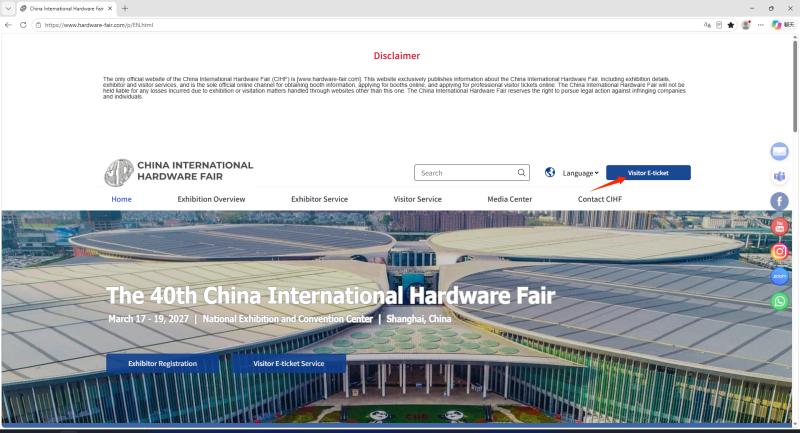
1. Visit website https://www.hardware-fair.com/p/EN.html.
2. Select English as your primary language to be directed to our main page for international visitors.
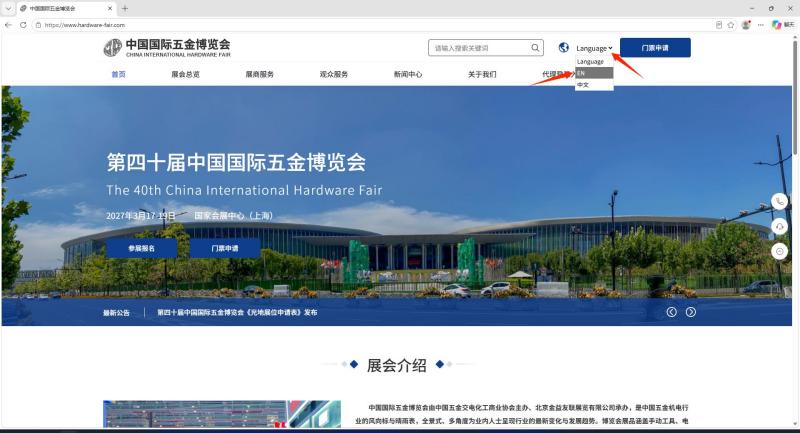
3. Click on Visitor E-ticket Service to start a new registration or retrieve your previous application.
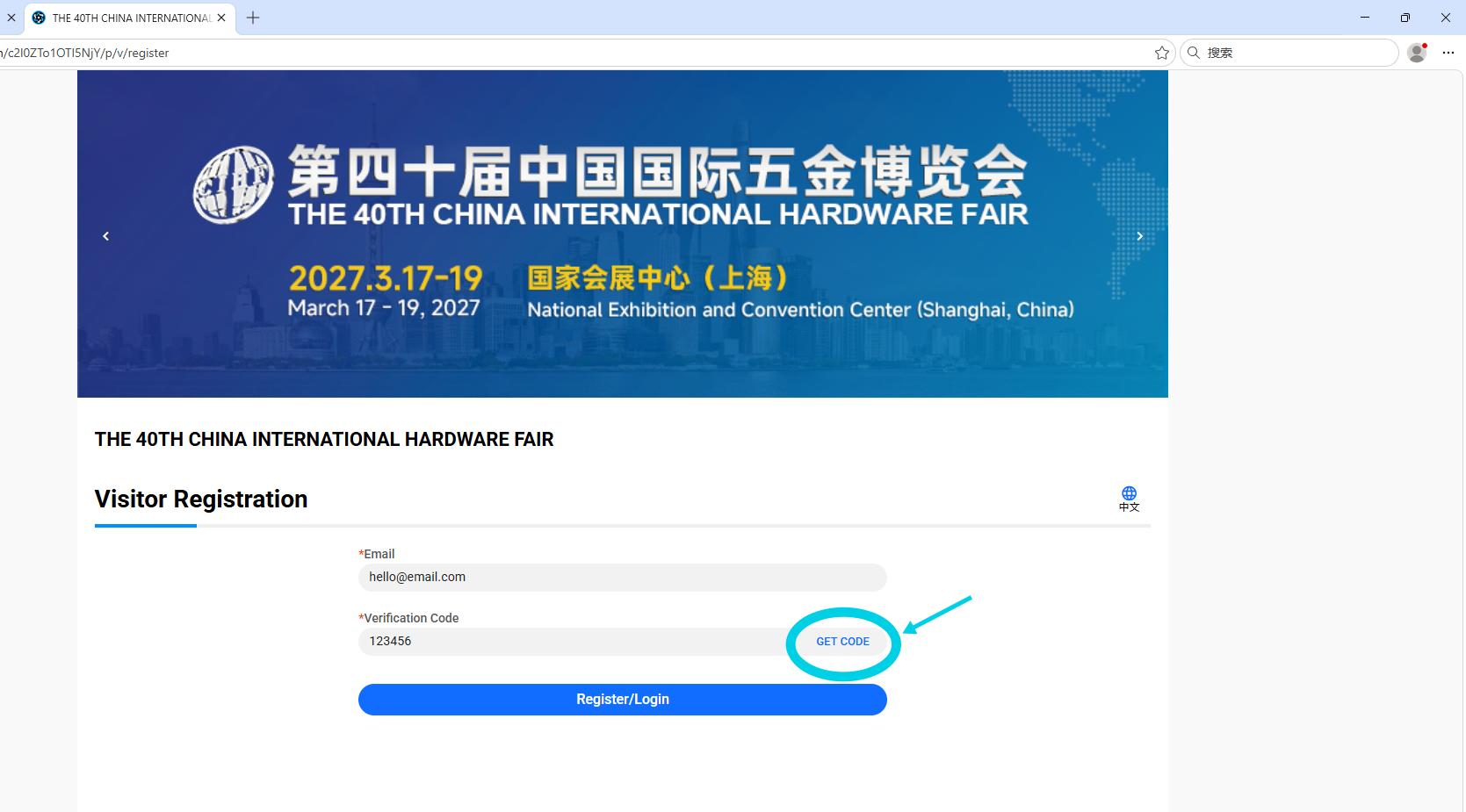
4. Enter your email address and click “Get Code”. Check your inbox (and spam folder if needed), input the 6-digit code received, and hit Registration to proceed.
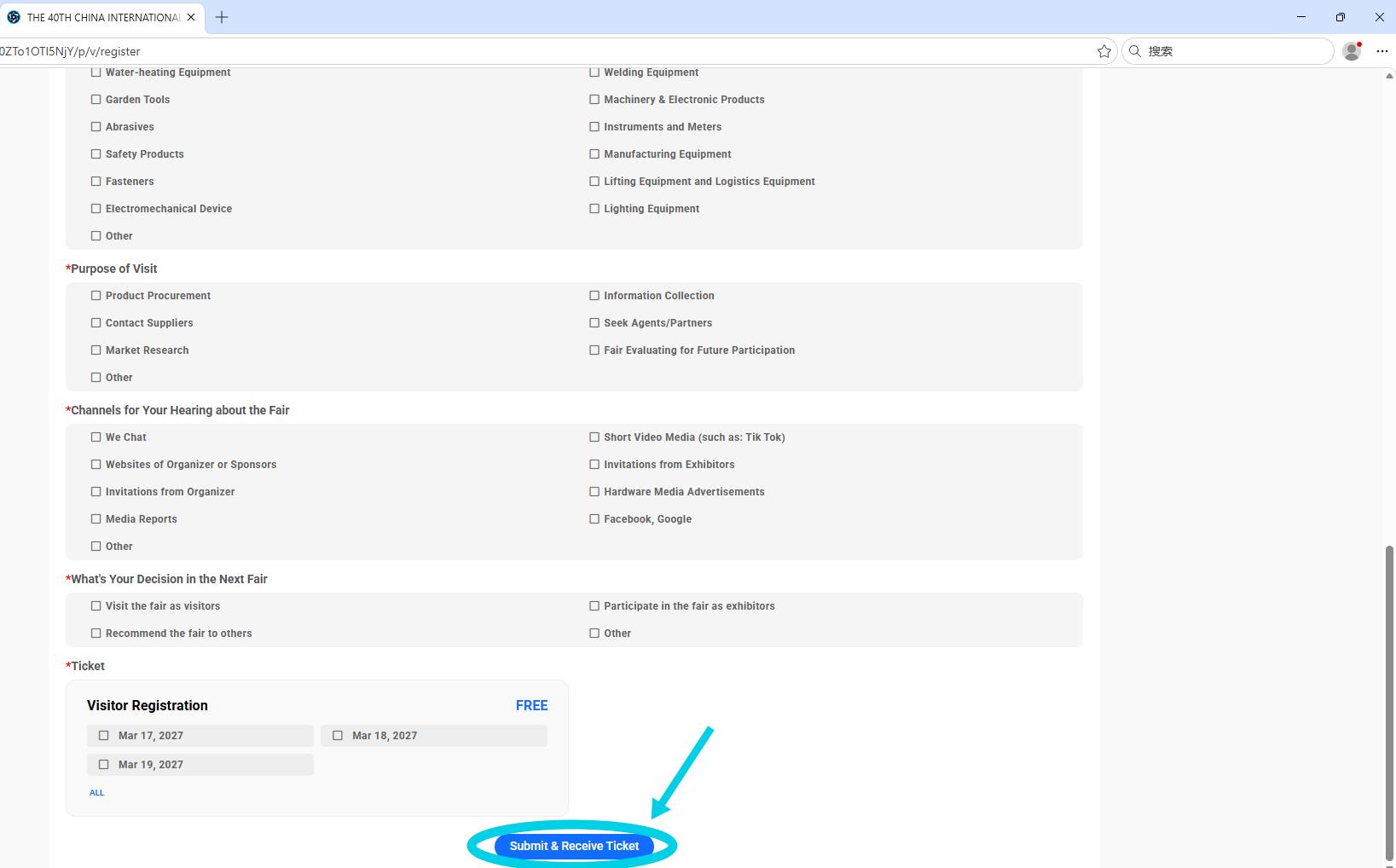
5. On the following page, provide all required information (e.g., name, company, contact details). Then click Submit & Receive Ticket. Once confirmed, take a screenshot of the success page for your records. Your personalized Visitor Pass (with QR code) will be emailed to you shortly.